Have you ever wondered how a computer opens applications, displays pictures or plays computer games? The answer is hardware and software. Knowing the difference between hardware and software will help you understand how a computer works and solve your basic computer problems.
Hardware and software are both essential parts of a computer. The former contains physical parts, while the latter contains data and instructions that enable a computer to perform its functions.
What Is the Difference Between Computer Hardware and Computer Software?
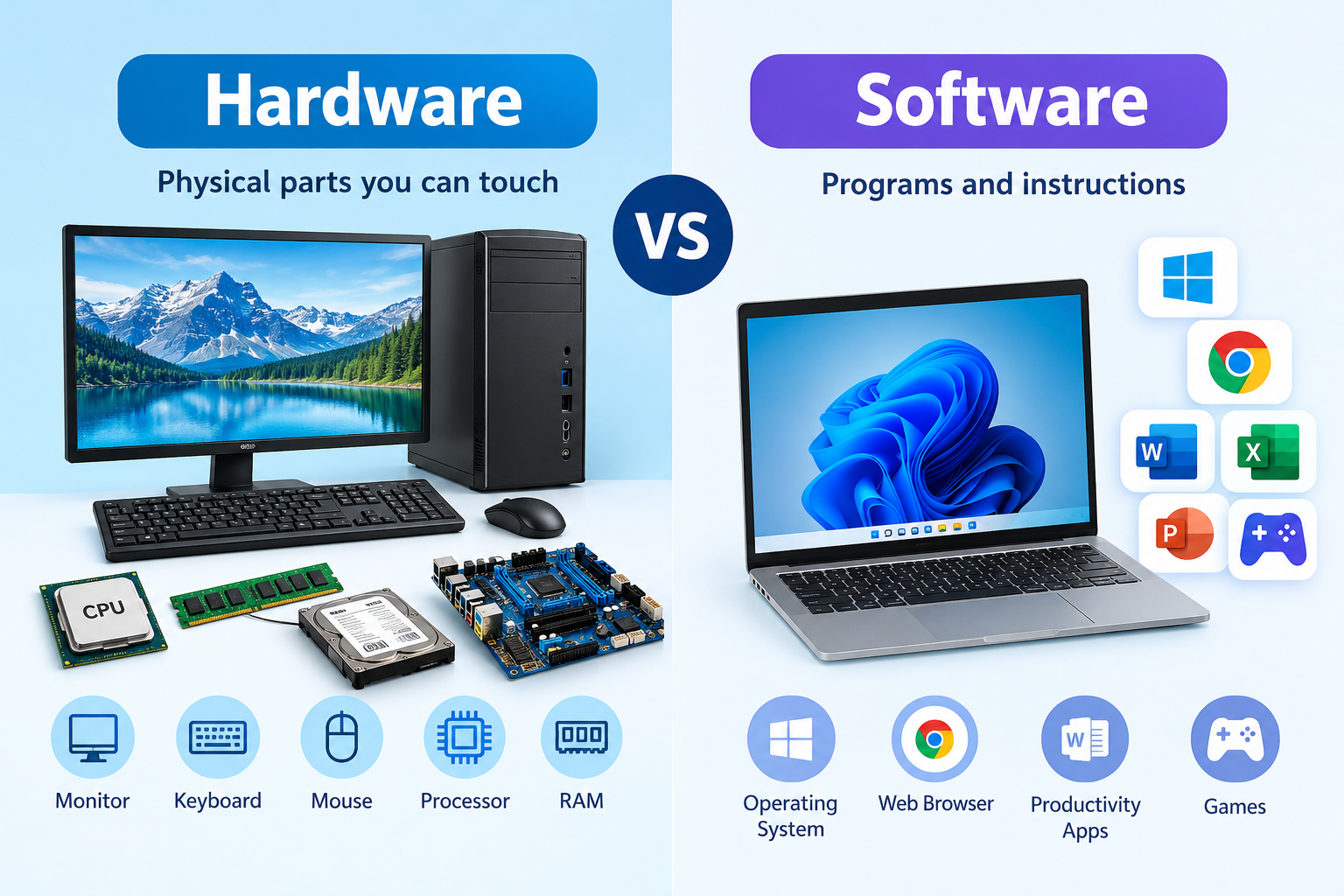
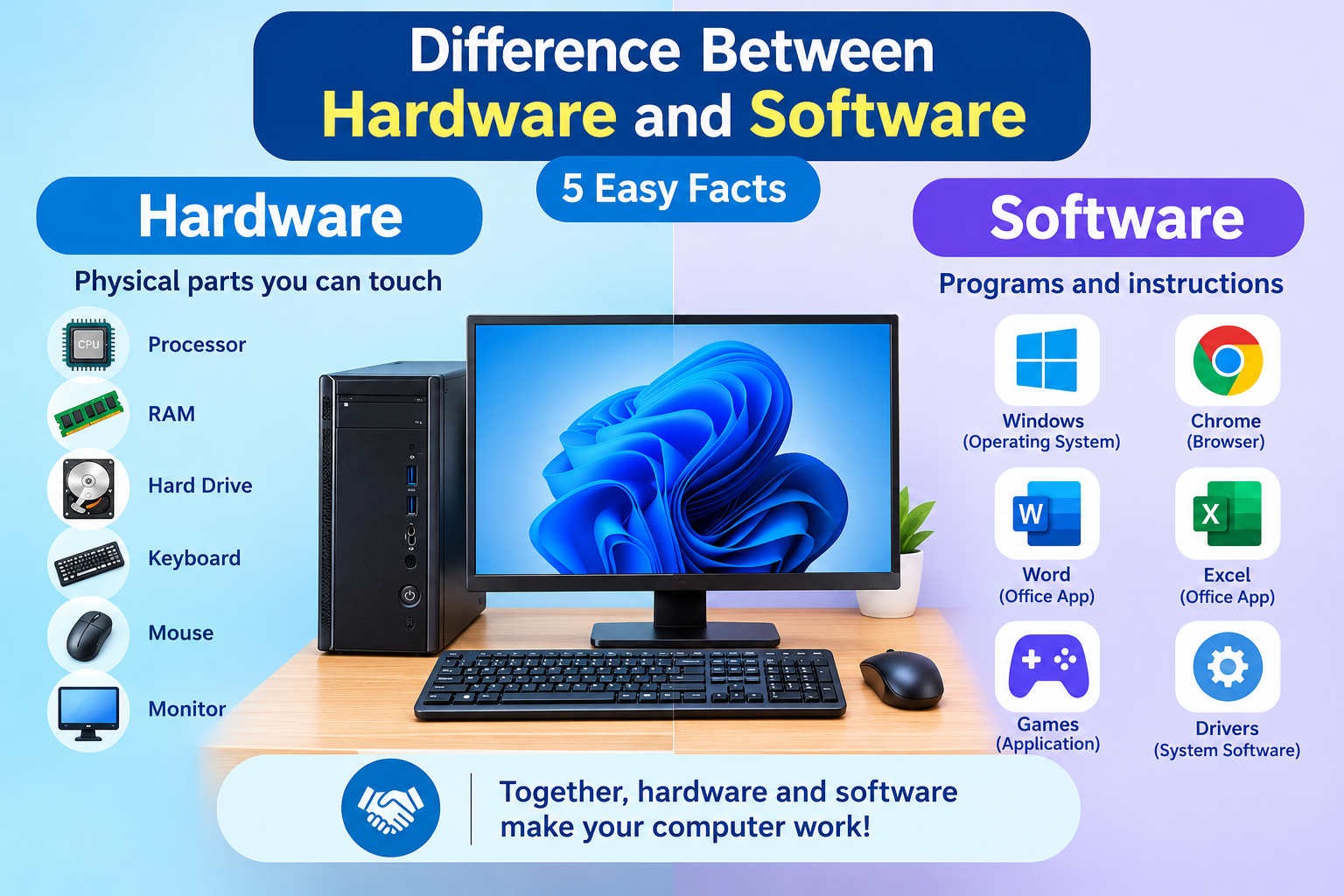
Hardware is the physical part that computers are made of. Some examples of computer hardware are monitors, keyboards, mice, processors, random-access memory (RAM), hard disk drives, and motherboards.
On the other hand, software refers to programs and instructions that are required to operate computers. Software includes applications such as Windows, Google Chrome, Microsoft Word and computer games.
Think of a computer as a working team. Computer hardware provides equipment, while computer software provides instructions to complete a specific task.
For example, when typing a document in Microsoft Word, your keyboard receives instructions, a processor interprets these instructions, the RAM stores information temporarily and monitors display your typed information.
What Are the Differences Between Software and Hardware?
Hardware and software are different aspects of a computer, although they work together with the help of technology. Here are some of the differences between software and hardware:
| Feature | Hardware | Software |
|---|---|---|
| Meaning | Physical components of a computer | Programs and instructions |
| Touchable | Yes | No |
| Examples | CPU, RAM, keyboard, monitor | Windows, Word, Chrome |
| Creation | Made or assembled | Designed by coding |
| Problems | Physical defects | Bugs, viruses, errors |
| Maintenance | Clean, repair, maintain | Update, troubleshoot |
| Dependence | Needs software | Needs hardware |
1. Physical parts vs. Programs
Computer hardware refers to physical equipment found inside and outside of a computer. Computer software consists of electronic instructions on a computer’s storage drive or memory.
For example, there is hardware and software for using a computer mouse. However, the physical part is available for touch, while the software consists of instructions in electronic form.
2. Damage and Errors
Hardware damage occurs when components are defective, faulty, worn out, overheated or disturbed. Software errors take place when programs and instructions are corrupt, incompatible or wrongly installed.
The cause of the error determines the way of resolving it. For example, a hardware problem with a keyboard may require replacement. On the other hand, software problems may be solved by updating Google Chrome or reinstalling Microsoft Word.
3. Upgrades and Updates
You can add or change hardware components to improve performance and increase data storage space. It is also possible to update computer software to enhance its performance and add new instructions. In some cases, hardware components may be replaced due to frequent hardware problems.
Internal link suggestion: See how to upgrade computer RAM or how to install SSD on a computer.
What Is Hardware Component Processes Data?
A central processing unit (CPU) is a computer hardware component that is responsible for executing instructions and processing data. It is often referred to as a computer brain.
However, a CPU cannot execute instructions or process data on its own. It is always connected to other computer components such as RAM, a storage drive, a motherboard, an input device and an output device.
RAM (Random Access Memory) allows a computer to store data temporarily. A storage drive stores programs, data and the computer operating system. A motherboard carries data from one component to another.
A keyboard and a mouse are known as input devices because they send data to computers. A monitor and speakers are known as output devices because they carry information back to a user.
For instance, a photo displayed on a computer screen is processed by the graphics processing unit. A computer’s storage drive supplies photos, videos and information, while RAM stores these files temporarily. A CPU processes data to ensure a steady flow of electricity.
Hardware components carry out physical tasks, while software determines the instructions that a computer will execute.
Difference Between Hardware vs Software: Real-Life Examples
Take a closer look at three common computer activities to see how hardware and software work together in everyday life.
Example 1: Typing a Document
When typing a document on a Microsoft Word application, a keyboard serves as an input device for sending information. At the same time, a monitor displays the typed information back to you.
The Central Processing Unit (CPU) interprets instructions for displaying words on a screen. Microsoft Word and the computer operating system provide these instructions for your computer.
Example 2: Browsing the Internet
When browsing the internet using Google Chrome, a computer’s CPU interprets instructions, RAM temporarily stores web data and a storage drive saves important files. Chrome browser and computer operating system execute the instructions for browsing the web.
Internal link suggestion: See how to fix slow computer and slow browser issue.
Example 3: Playing a Computer Game
A computer game requires several hardware components and instructions. A game’s instruction set is interpreted by a CPU, while a graphics processing unit processes graphic images.
At the same time, RAM temporarily stores important information for a smooth gaming experience. A computer game software determines what actions make the game run, sound effects play and characters move.
If a computer has a weak graphics processing unit or less RAM in comparison to the game’s minimum system requirements, the game will run slower.
Can a Computer Work Without Hardware or Software?
A computer cannot carry out basic computing functions without hardware. It has to have physical parts that allow a computer to input, process, store and display data.
Hardware components such as a CPU, RAM, storage drive and input devices usually require software to operate. However, some computer hardware components have built-in software instructions to carry out specific tasks.
Firmware is a special type of software that is used to operate complex computer hardware functions. This type of instruction set is available in a router, computer keyboard and computer motherboards.
In short, a computer needs both hardware and software to operate effectively.
External reference: For more information on computer components and computer basics, see IBM computer hardware.
Internal link suggestion: more articles
Key Takeaways
- Hardware means the physical parts of a computer, such as the CPU, RAM, keyboard and monitor. On the other hand, software refers to a set of instructions that tell a computer how to perform its functions.
- The CPU executes these instructions and processes data for a computer to carry out its functions. Other hardware components include a motherboard, storage drive, input devices and output devices. It is always important to determine the type of problem when dealing with hardware and software issues.
- Hardware problems may be repaired or replaced, while software problems may require an update or a new set of instructions. A computer needs both hardware and software components to carry out basic computer functions.